Export JSON for Messenger Ads
Find the earlier flow export option and check compatibility with the current Messenger ad setup.
The earlier Flow Builder offers Get JSON for Messenger Ads to export a flow's message configuration. The source does not include a generated JSON example or document where to import it in the current Meta Ads Manager.
Confirm with Bual Pro support that the export is still supported and that your intended Messenger ad setup accepts it. This procedure does not establish a WhatsApp ad payload or publish an advertisement.
Find the export option
- Open Flows in the intended Bual Pro account.
- Open the flow you want to use.
- Open the three-dot menu in the upper-right corner of Flow Builder.
- Select Get JSON for Messenger Ads, if the current interface offers it.
- Review the output and follow the current export controls shown in your account.
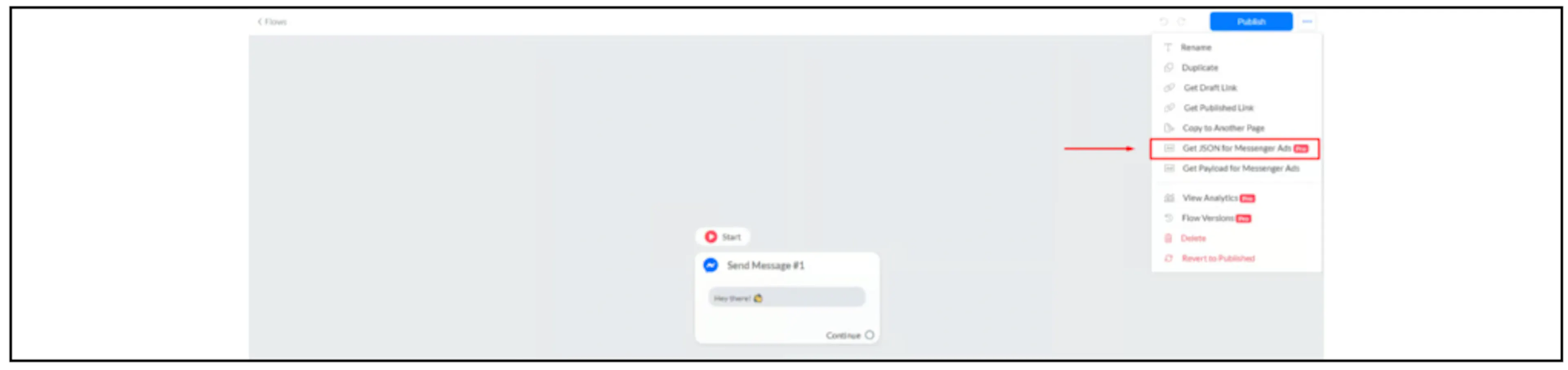
The screenshot shows an earlier interface and a Pro badge. Confirm current availability and plan requirements rather than relying on the badge. If the menu item is absent, ask support for the current supported workflow.
Review before using the output
Confirm that the export refers to the intended Page and flow, and that its messages, buttons and destinations match the experience you want. Check the generated format against the specific Messenger ad configuration currently available to your account. Do not invent missing fields or assume that a valid JSON file is an accepted ad payload.
Use a preview or controlled test supported by the current tools before running a campaign. Confirm how the opening conversation reaches the flow and what happens after a button is selected. Exporting JSON alone does not prove that the ad launches the flow or that follow-up messages will be delivered.
Related Facebook Ads guidance
See Facebook Ads integration for the older connection and retired Sponsored Messages instructions. That older paid-message workflow is separate from this Messenger JSON export. For business-event reporting, see Facebook conversion tracking.
No generated payload was available in the captured article. No ad account was connected and no campaign was created or launched for this guide.