Convert a timestamp to a date
Save a date in the Asia/Kuala_Lumpur timezone to a custom field.
Use an External Request in your flow to convert a timestamp to a date, then save the returned date value to a custom field.
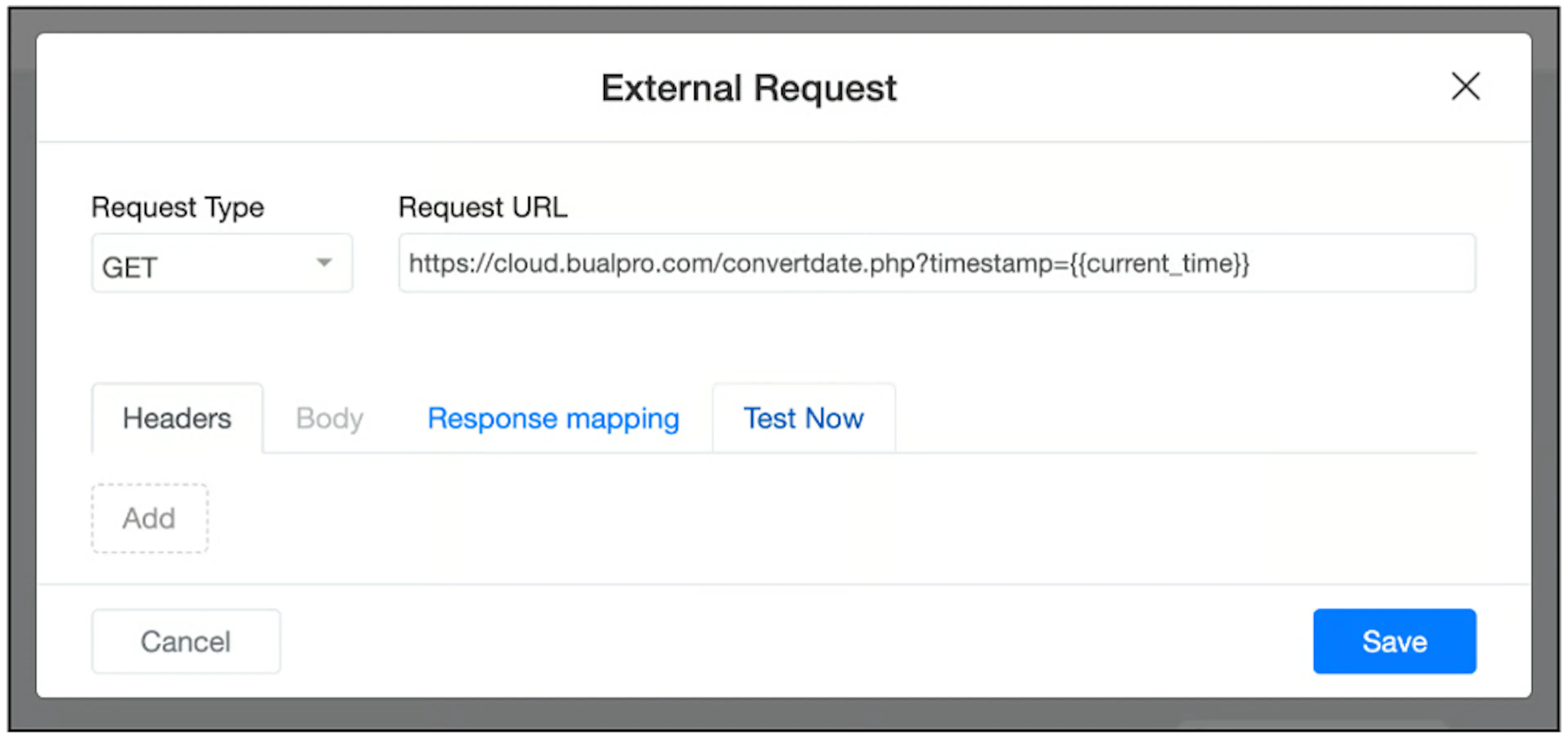
Configure the request
- Open External Request in your flow.
- Set Request Type to GET.
- Enter this Request URL:
https://cloud.bualpro.com/convertdate.php?timestamp={{current_time}}
Map the response
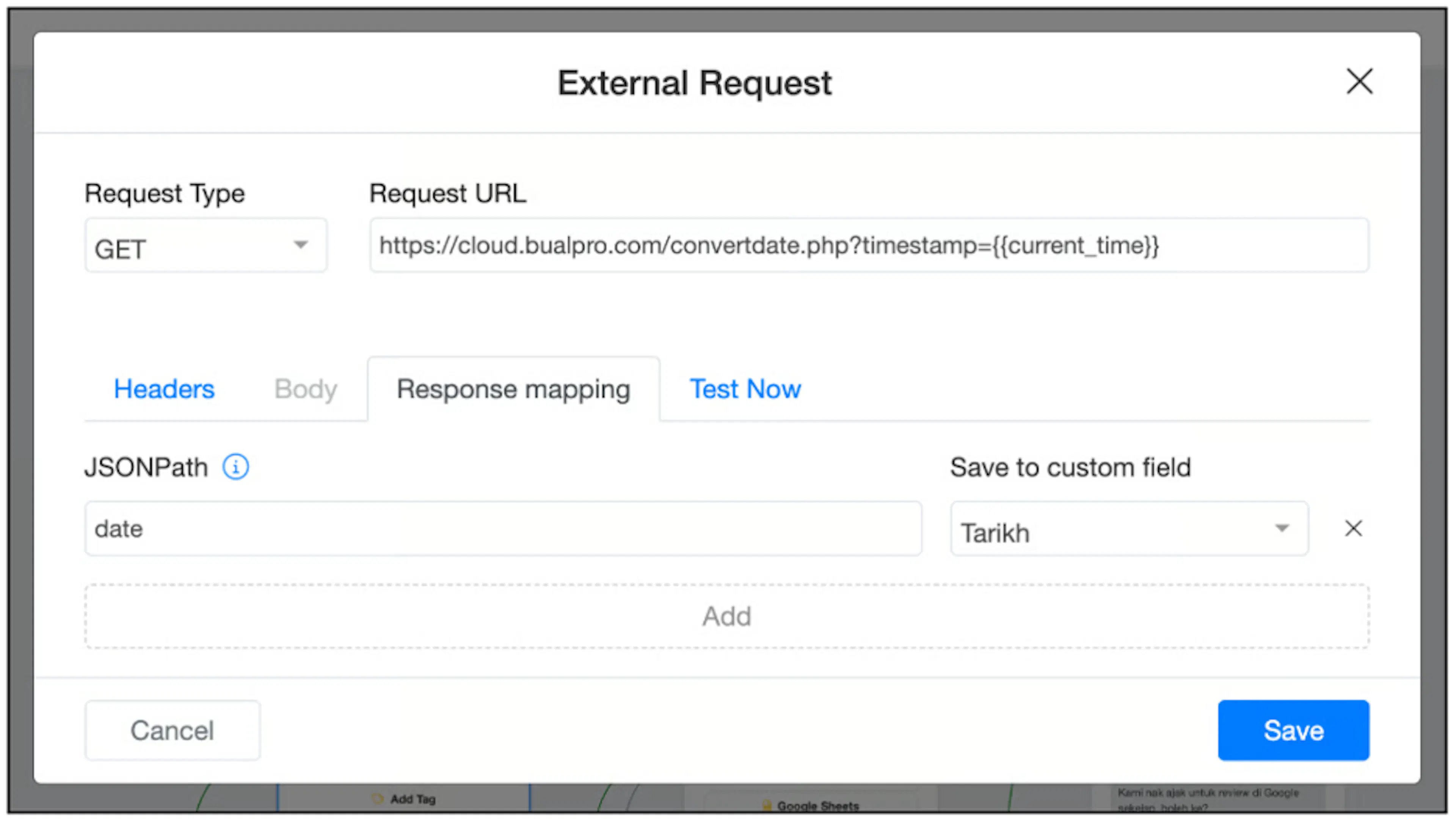
- Open Response mapping.
- Enter
datein JSONPath. - Under Save to custom field, select the field that will hold the date. The screenshot uses a field named Tarikh.
- Click Save.
Check the result
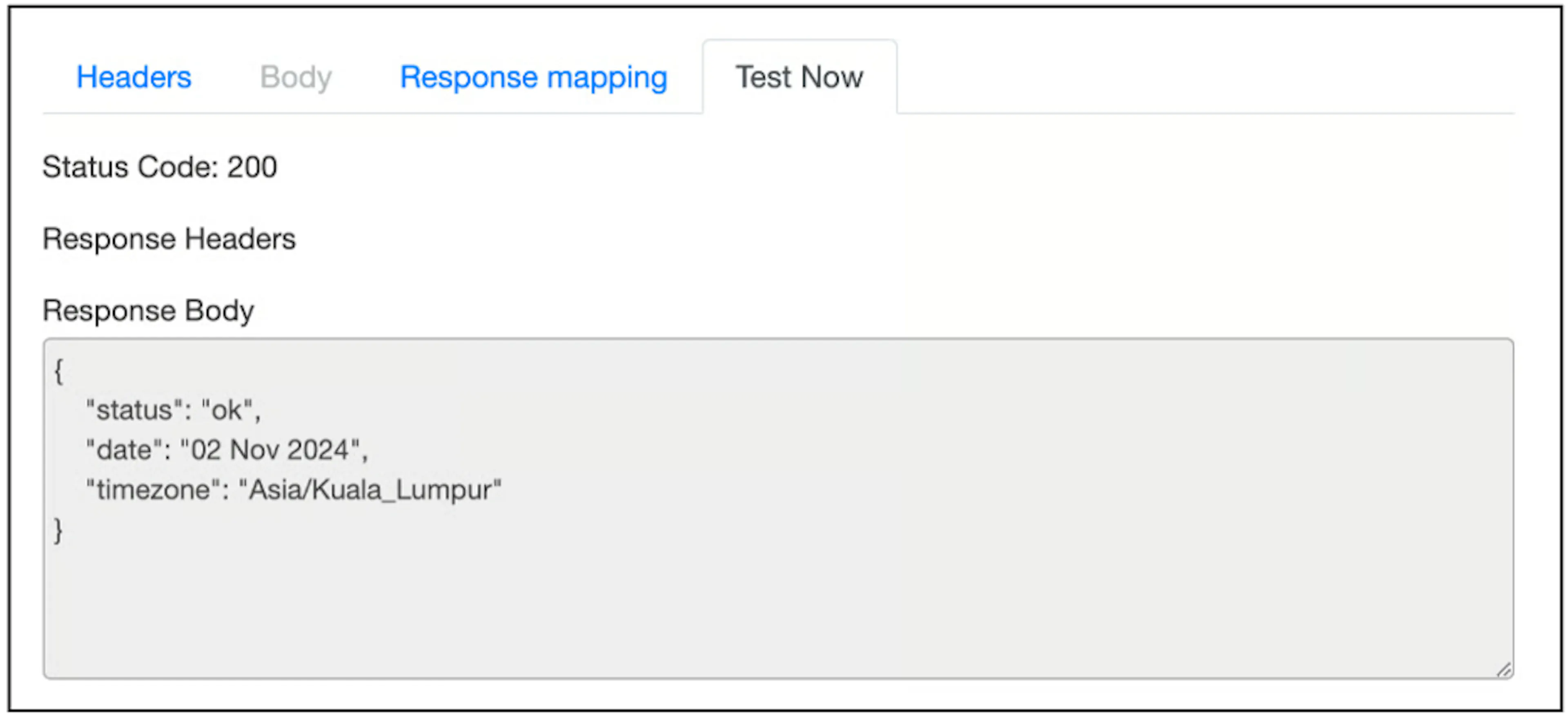
Use Test Now to inspect the response. A successful response includes status, date, and timezone:
{
  "status": "ok",
  "date": "02 Nov 2024",
  "timezone": "Asia/Kuala_Lumpur"
}
The date has a two-digit day, a three-letter month, and a four-digit year. 02 Nov 2024 is an example, not a fixed result.
Use the custom field in your flow wherever you need the saved date.
Was this page helpful?