Send a flow from the Inbox
Choose and send a flow to a contact from a conversation.
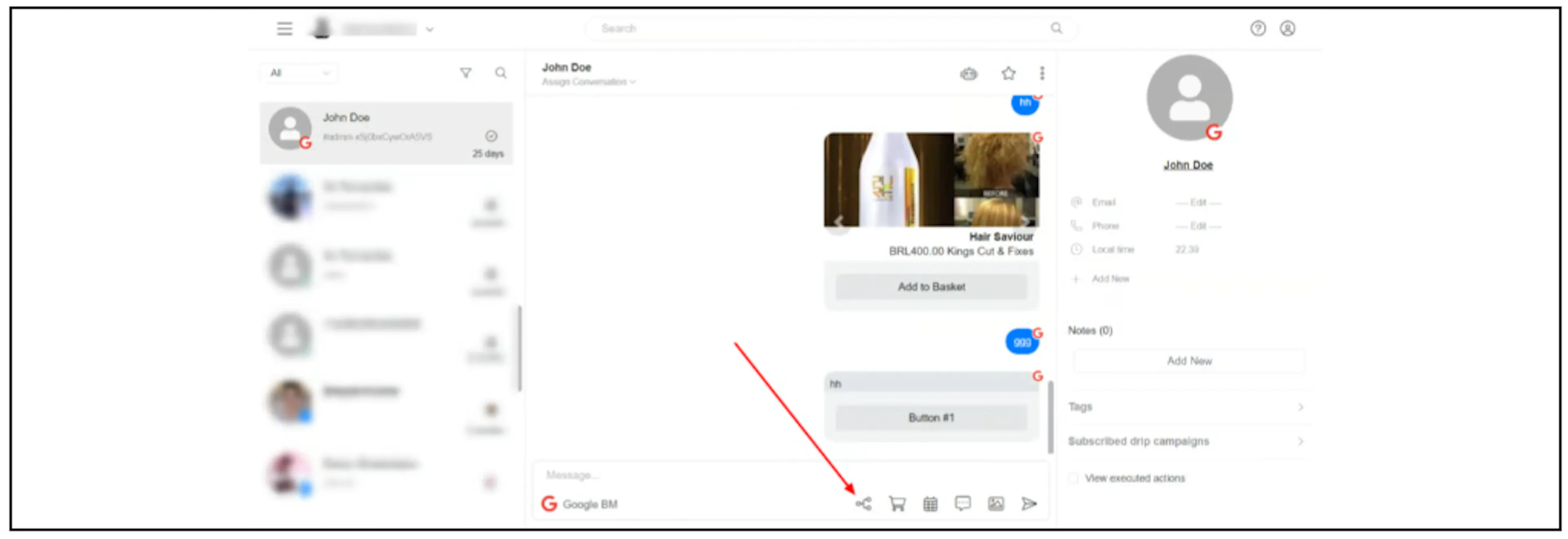
- Open the contact's conversation in the Inbox.
- Click the Send Flow icon below the message box.
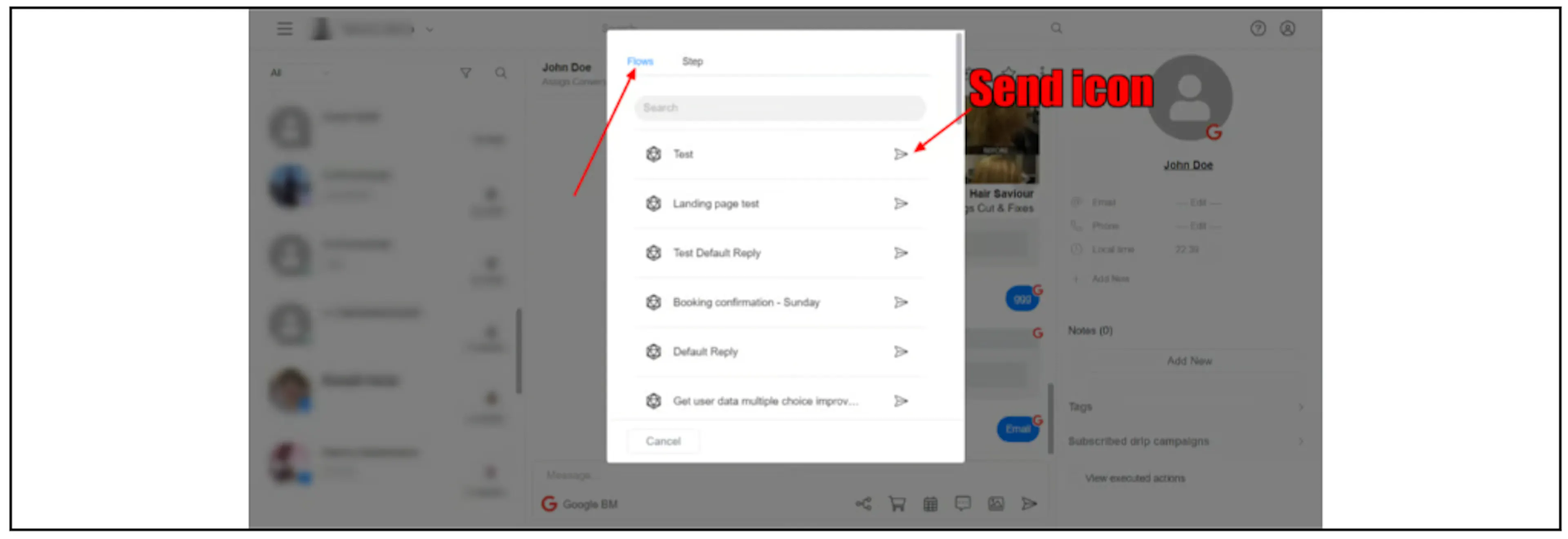
- Find the flow you want to send.
- Click the send icon beside that flow.
Was this page helpful?