Test the bot with admins only
Find Development Mode and check which users and bot behavior it affects.
Development Mode is described in the earlier guide as a setting that limits bot replies to account admins. Confirm its current scope for your connected channel before using it to control customer access.
Enable Development Mode
Open Settings > General, find Development Mode, switch it on and select Save.
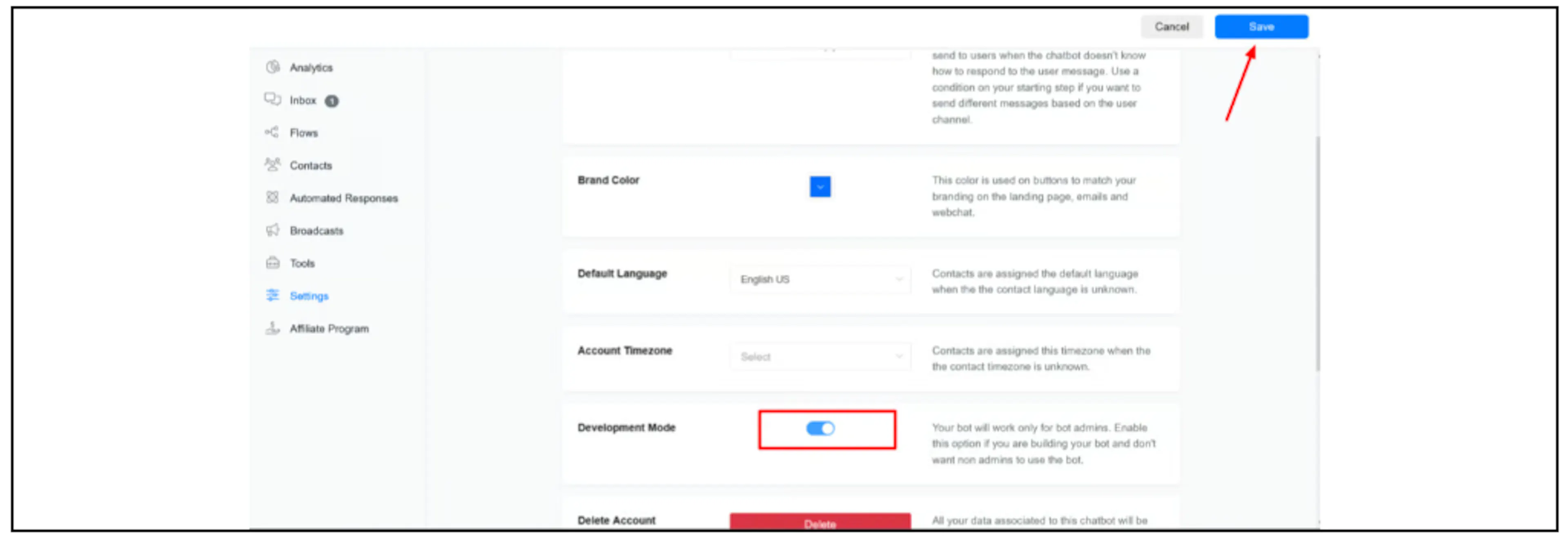
The source prose calls the control Development, while the screenshot labels it Development Mode. Follow the current label in your account.
Check a known admin and a non-admin test contact to confirm the actual reply behavior. Do not treat this setting as an isolated sandbox: confirm whether other rules, scheduled actions, external requests or manual messages can still run.
If a Messenger admin gets no reply
The earlier guide associates this with the admin not yet having previewed a Messenger flow. Confirm the person's Bual Pro admin access and the Facebook/Messenger identity used for that preview.
The documented recovery sequence is:
- Temporarily turn Development Mode off.
- Have the affected admin preview a Messenger flow and complete the confirmation shown in Messenger.
- Turn Development Mode on again and save.
- Recheck the admin's access and the non-admin reply behavior.
Turning the setting off can allow customer-facing bot replies again. Arrange a controlled test window or use a separate test account if available before following that sequence on an active bot. Ask support if the admin identity or safe recovery path is unclear.
The Messenger preview sequence does not establish the same admin-identification behavior for WhatsApp, webchat or another channel.
Before returning to customer use
Review the intended live flows and active rules, then set Development Mode to the state required for customer replies. Save and verify the result. Check any human handover or automated reply settings that also affect whether the bot responds.