Transfer a conversation to a human
Switch a conversation between a human agent and the bot.
Transfer a conversation to a human when an agent needs to take over. The bot is disabled for that conversation while the human agent handles it. You can transfer it back to the bot later.
From the Inbox
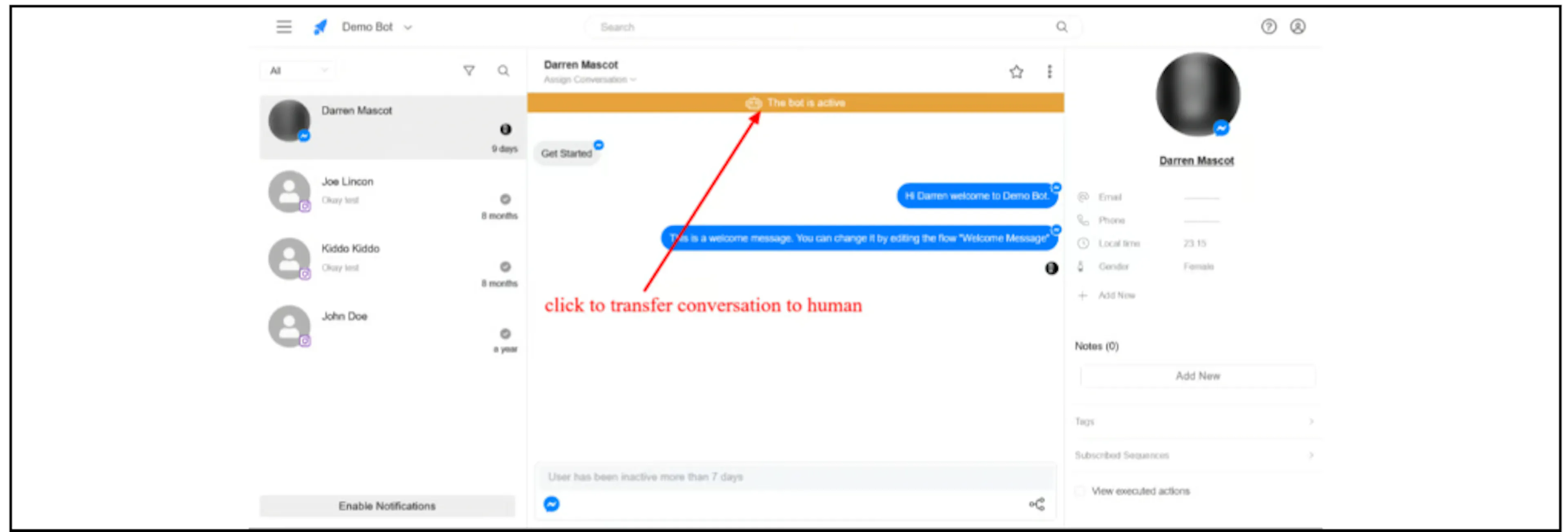
- Open the conversation.
- Click the The bot is active banner to transfer it to a human.
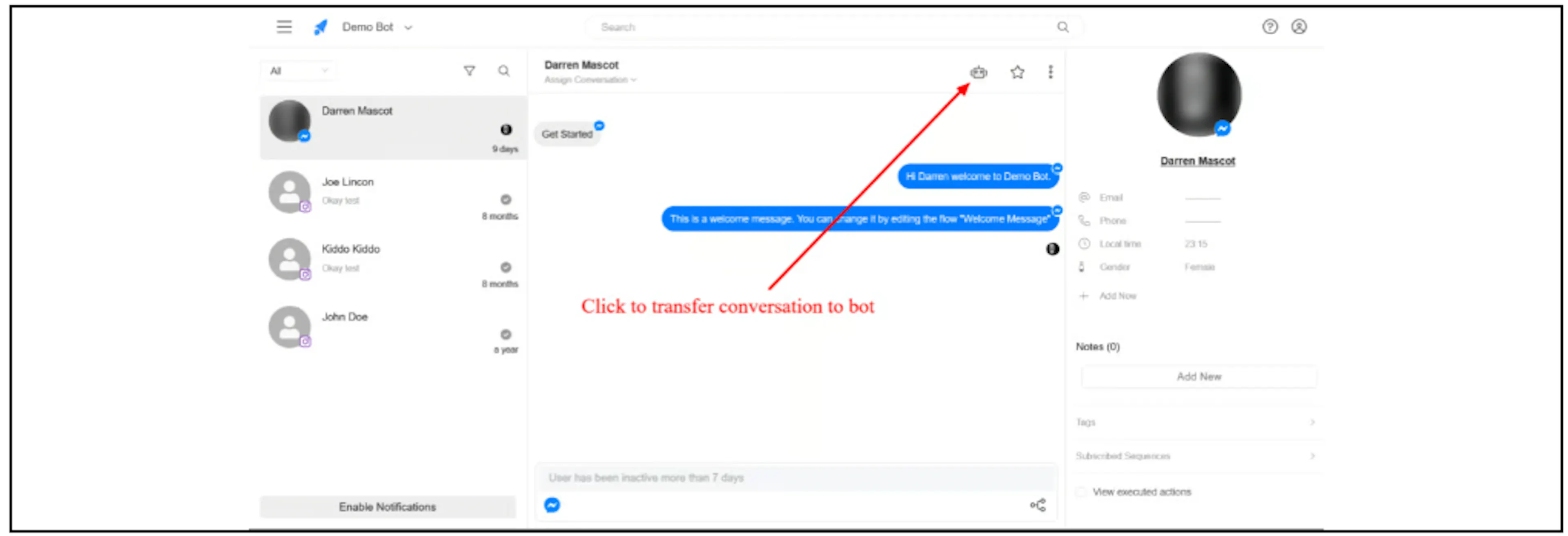
To return the conversation to the bot, click the bot icon at the top of the conversation.
From Contacts
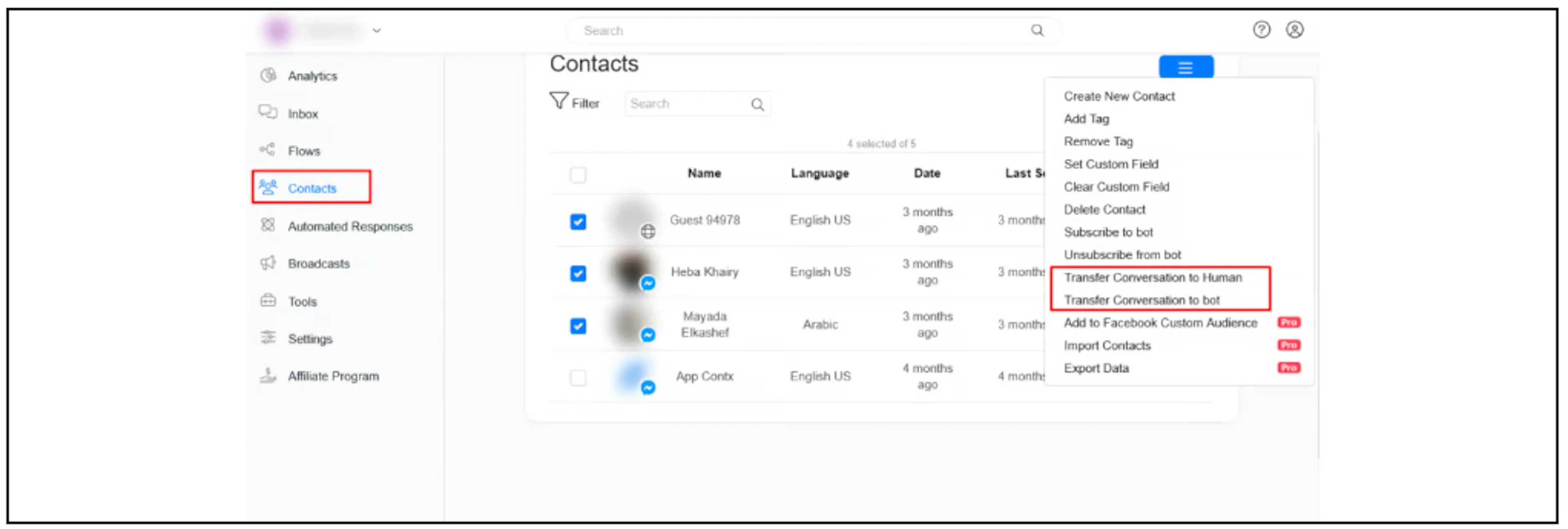
- Open Contacts and select one or more contacts using their checkboxes.
- Open the actions menu.
- Select Transfer Conversation to Human or Transfer Conversation to bot.
From Flow Builder
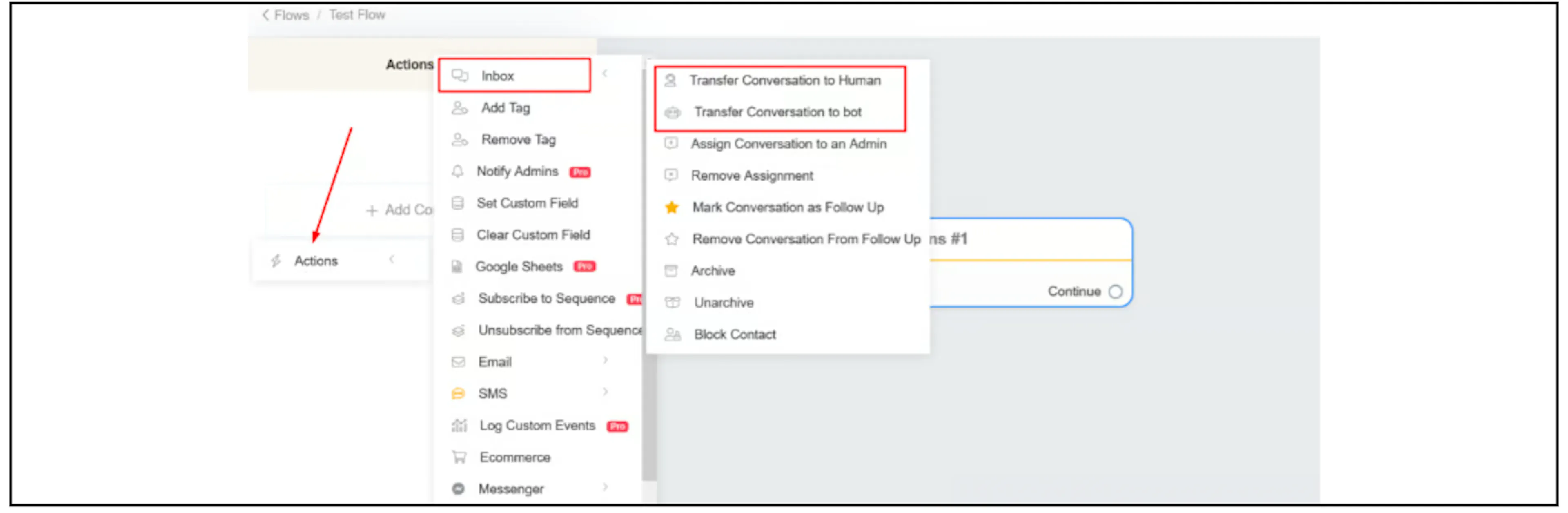
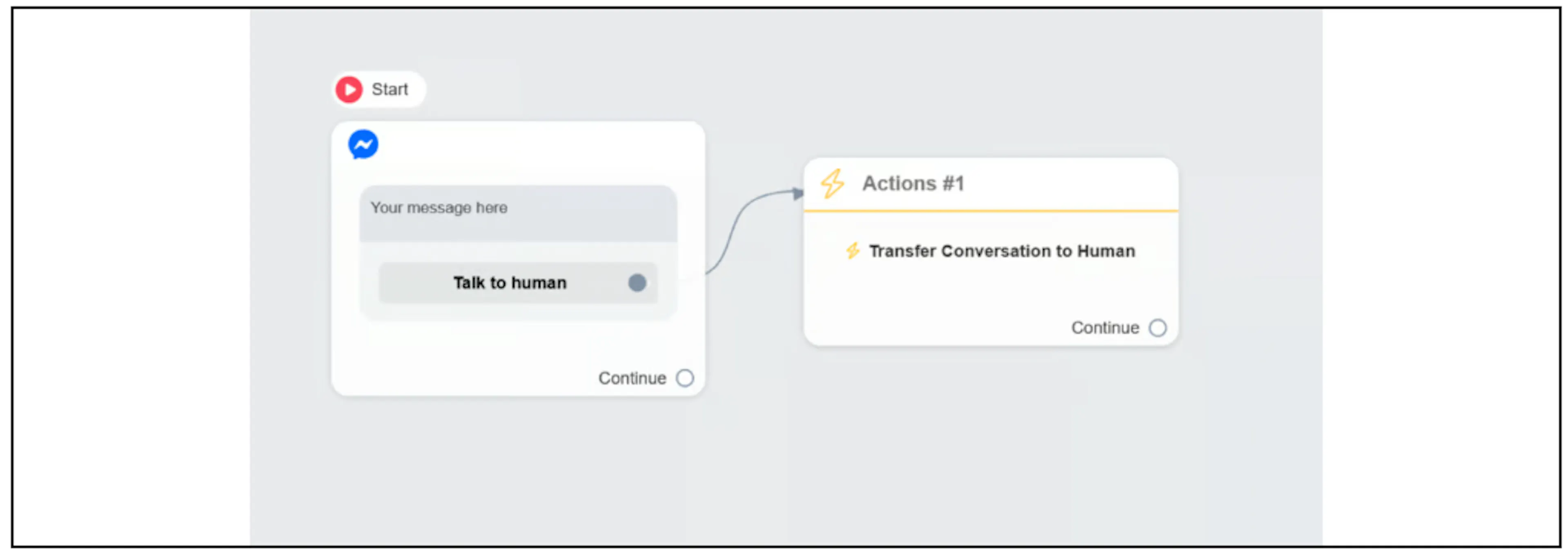
In an Actions block, select Inbox, then choose Transfer Conversation to Human or Transfer Conversation to bot.
The example below connects a Talk to human button to the human handover action.
Was this page helpful?