Request a customer's location
Collect a shared location in a WhatsApp flow and use its latitude and longitude.
Use Get User Data to ask a customer to share a location during a WhatsApp conversation. The customer chooses whether to share it. Explain why you need the location before asking.
The steps and screenshots below follow Bual Pro's existing guide. They have been checked against the public source, but the workflow has not been tested in a customer account.
Set up the location question
- Open the WhatsApp flow and add a Get User Data block.
- Write the location request and set Reply type to Location.
- Under Save response to a custom field, select a text custom field. The screenshot uses Response; you can use a field prepared for this response.
- Select Save.
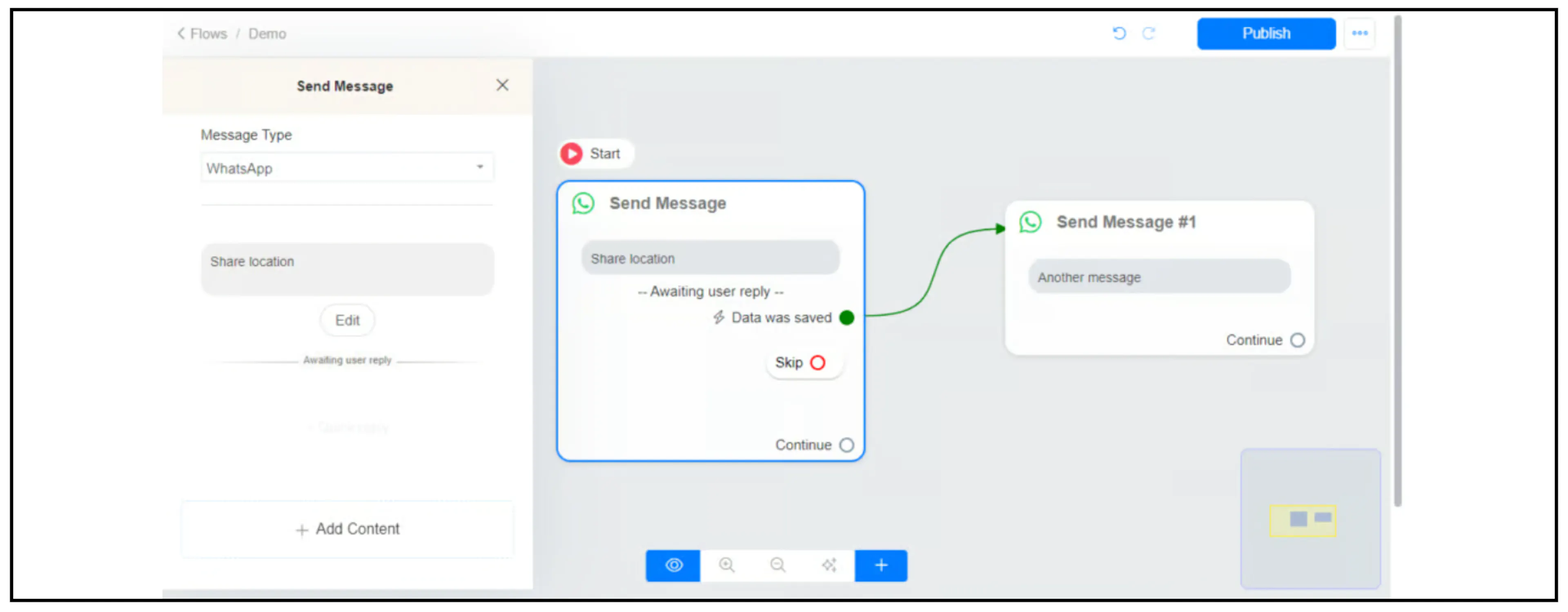
Connect Data was saved to the next step for a received location. Set the Skip branch to handle a customer who continues without sharing.
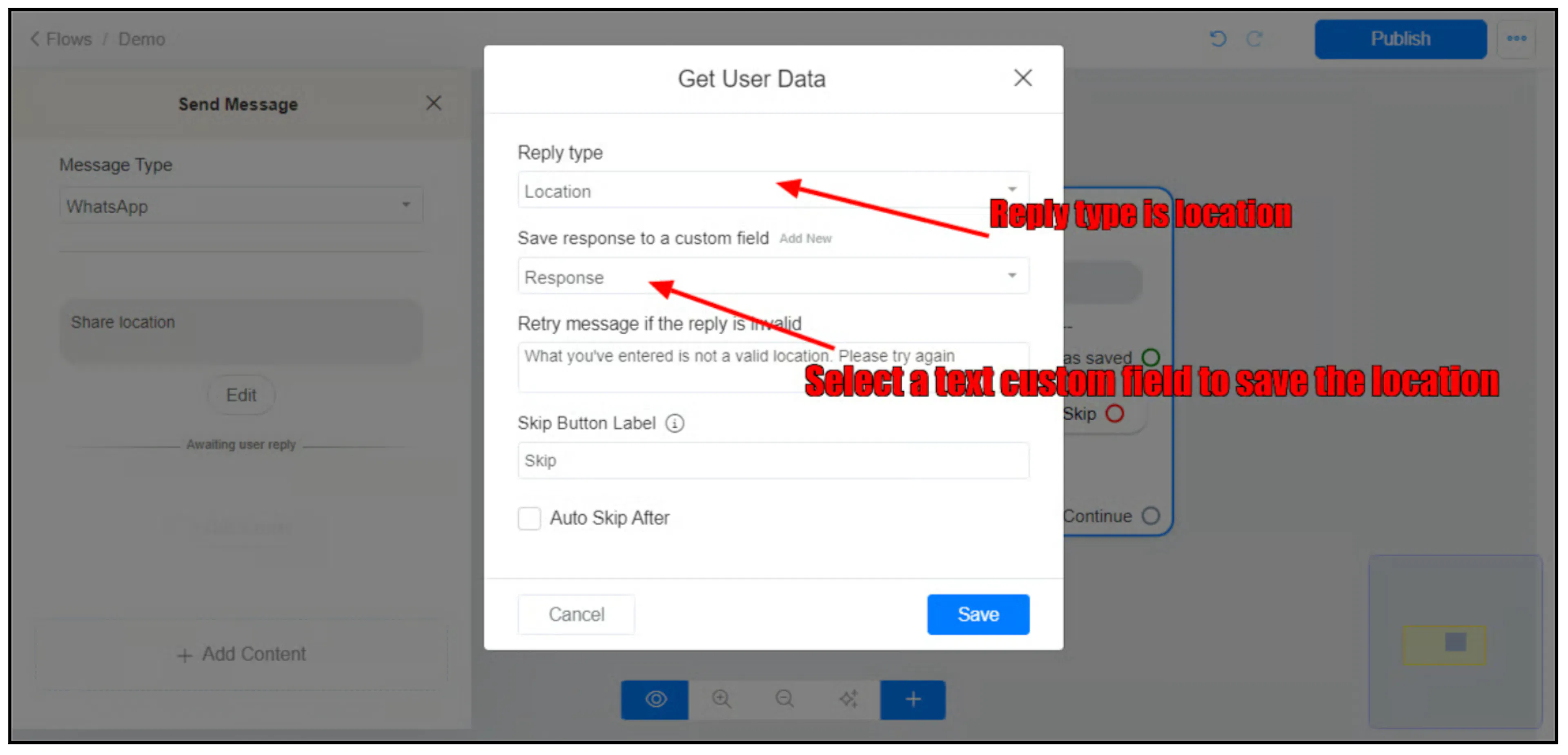
For field setup, see Custom fields. For the flow builder, see Create your first flow.
Read the shared coordinates
The guide stores the location response in the selected custom field and exposes these system fields:
| System field | Value described by the guide |
|---|---|
{{last_latitude}} | Latitude of the last location shared by the contact. |
{{last_longitude}} | Longitude of the last location shared by the contact. |
The exact structure of the location response stored in the custom field has not been verified. Check the received value before using it in an integration.
These fields refer to the last shared location. They do not provide continuous or live location tracking. Meta's location request guide explains that the user chooses to share a location.
Build a Google Maps link
After a location has been received, use this URL template:
https://www.google.com/maps/search/?api=1&query={{last_latitude}}%2C{{last_longitude}}
Bual Pro must substitute both system-field values before the link is opened. Google Maps expects latitude and longitude separated by a comma; %2C is the encoded comma. This follows the Google Maps URLs guide.
Build the link on the successful response branch so it uses coordinates the customer has shared. A previously stored location may no longer describe the customer's current position.