Find nearby places
Register places and use a contact's shared location to find a nearby option.
Register your business locations, collect a contact's location in a flow and run Find locations near me. Check the result with a sample location before using it with customers.
Register places
Open Tools > Places Near Me and add each location. Enter its Name, Latitude and Longitude, then save it.
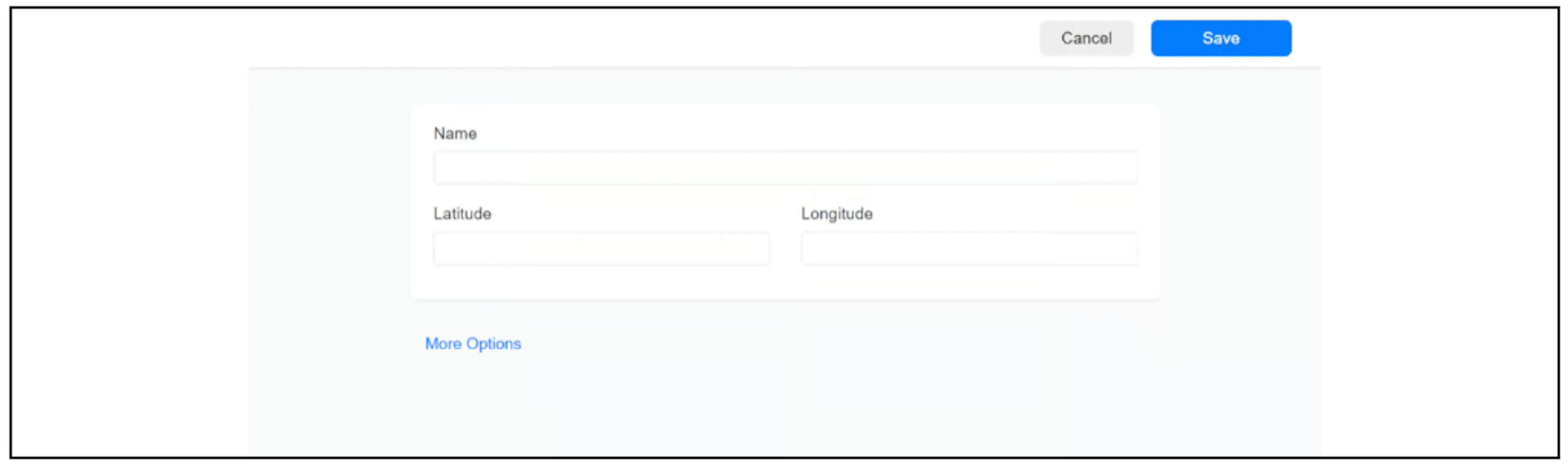
You can get coordinates from Google Maps. Keep latitude and longitude in their corresponding fields, preserve any minus signs and check that the map pin matches the address. See also Send your business location.
Collect the contact's location
Add Get User Data to a flow, choose Location as the reply type and select a custom field for the response.
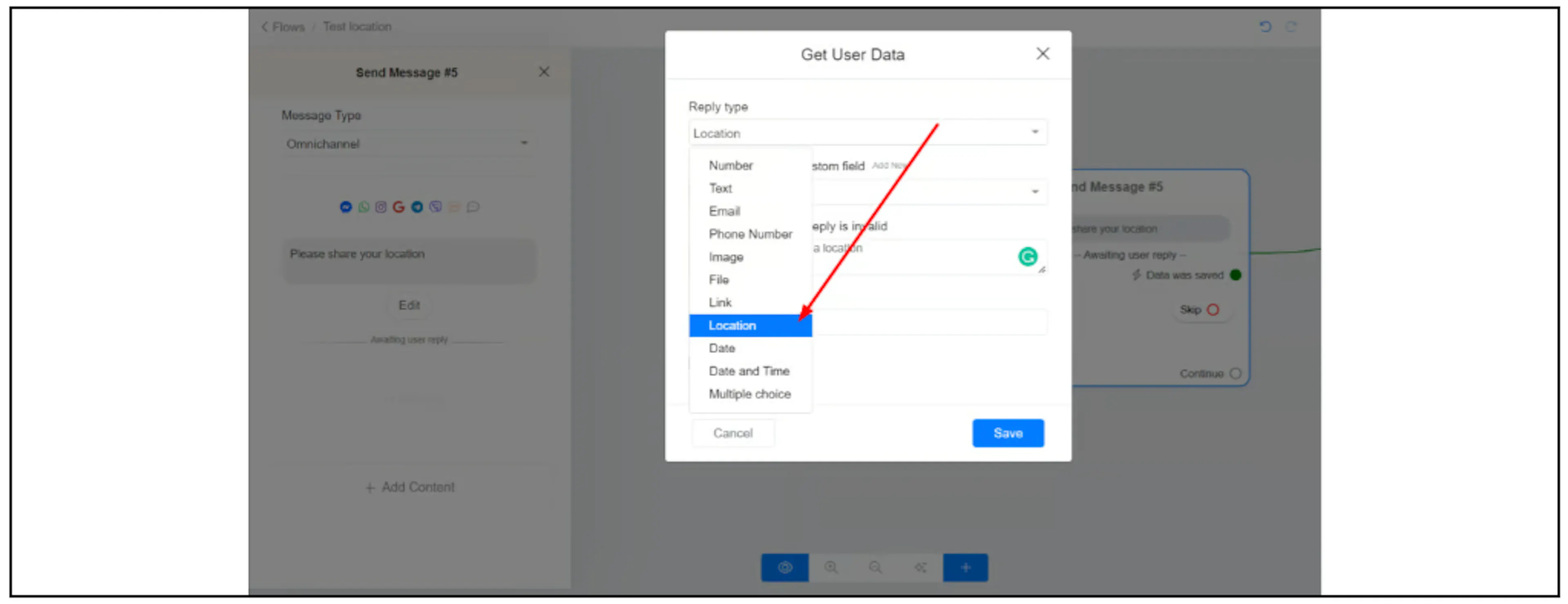
Channel support can differ. For WhatsApp, see Request a contact's location. Confirm current support for Telegram or Messenger in your account before relying on location collection there; the earlier guide's Messenger example was limited to Android.
Find a nearby place
Connect Data was saved to an action block. Choose Actions > More Options > Find locations near me. It may be labelled Find places near me in your interface.
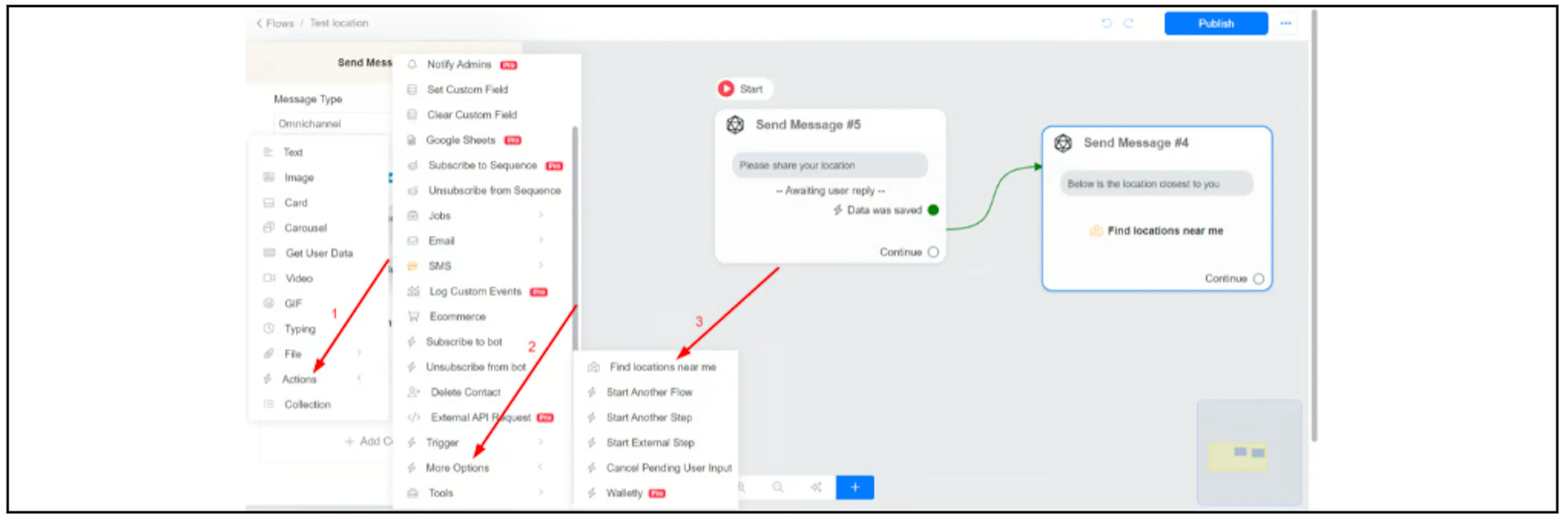
Check that the action uses the location the contact supplied and returns the expected registered place. Contact support to confirm input-field mapping, result ordering, distance limits or empty-result behaviour if your flow depends on those details.
Filter by category
Categories let you group places so a contact can look for a particular type of location. After creating categories in your account, open a place's More Options and select its Category.
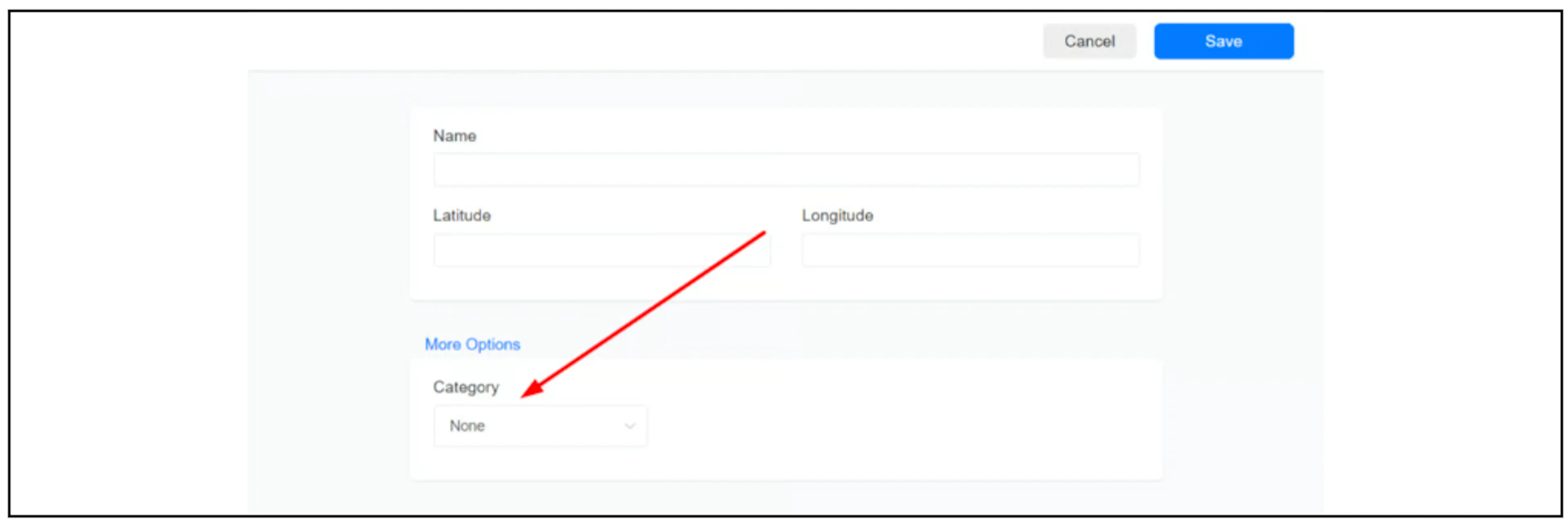
Open the Find locations near me action and select the corresponding category.
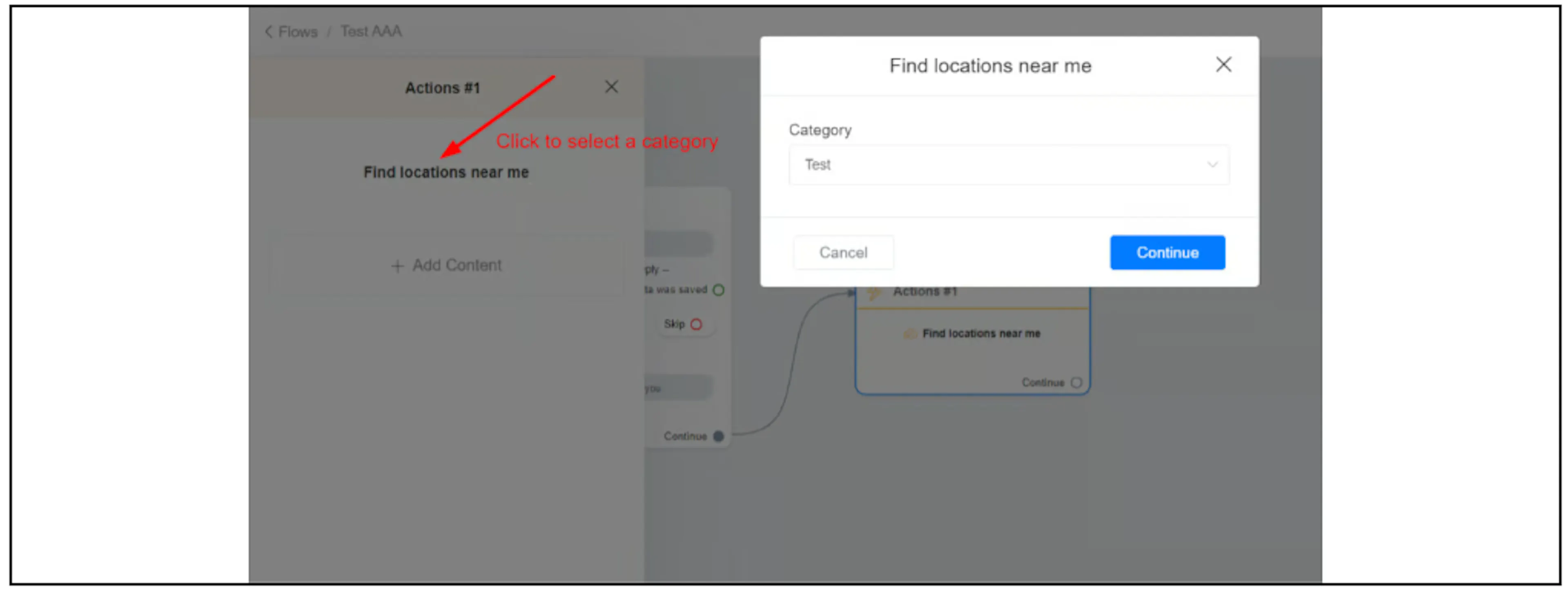
Confirm where categories are managed in your current interface if the control is missing. Test that category filtering returns the intended places, including when no place matches. No live location tracking is implied by a single shared location.