Review unanswered messages
Open the user-message report to investigate messages the bot did not answer.
Use the user-message report to find gaps in your bot's replies, then review the conversation before changing its response rules.
Open the full report
- Open Analytics and select the relevant date range.
- Find User Messages, shown as Users Messages in the screenshot.
- Select View Full Report.
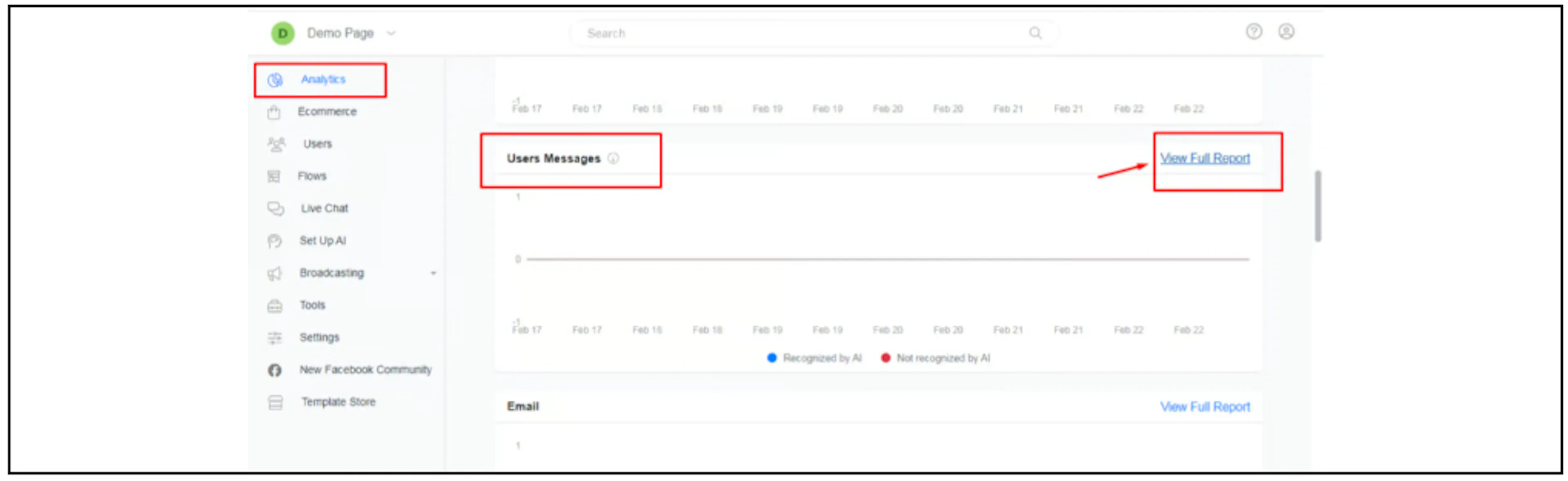
The earlier report includes AI-recognition, response and frequent-phrase information. Check the controls available in your account for:
- Messages recognised or not recognised by AI.
- Messages with a response or no response.
- Frequently trained phrases or answers associated with NLP matching.
The screenshot's recognition labels are not a measured accuracy score for every AI model or integration in your account.
Investigate a message without a response
Open the corresponding conversation and check what happened around the message. Review the active automation, any executed actions and whether the conversation had moved to a human.
If a keyword or FAQ is missing, update Automated Responses and test the intended matches. For OpenAI replies, review the OpenAI configuration and automatic-reply setting.
Check the reply outcome after making a change. A no-response entry is a reason to investigate; it does not by itself establish a missed human-agent reply or an AI failure.
If the report differs
Confirm the account, date range and channel. Ask Bual Pro support how recognition, response and no-response are defined in the current report if those categories are unclear.