Dynamic multiple-choice options
Populate choices from a custom field and save the customer's selected answer.
Use Get User Data with Multiple choice when the available answers come from a custom field. The field can contain a list prepared from a Google Sheet or an API response.
Prepare two fields
Keep the available options and the customer's answer in separate fields. The existing example uses:
| Field | Purpose |
|---|---|
options | Holds the list of choices shown to the customer. |
color | Saves the customer's selected answer. |
Create the fields you need using Custom fields. Use your own field tokens if your field names differ.
Set up the question
- In a Send Message block, open Add Content and select Get User Data.
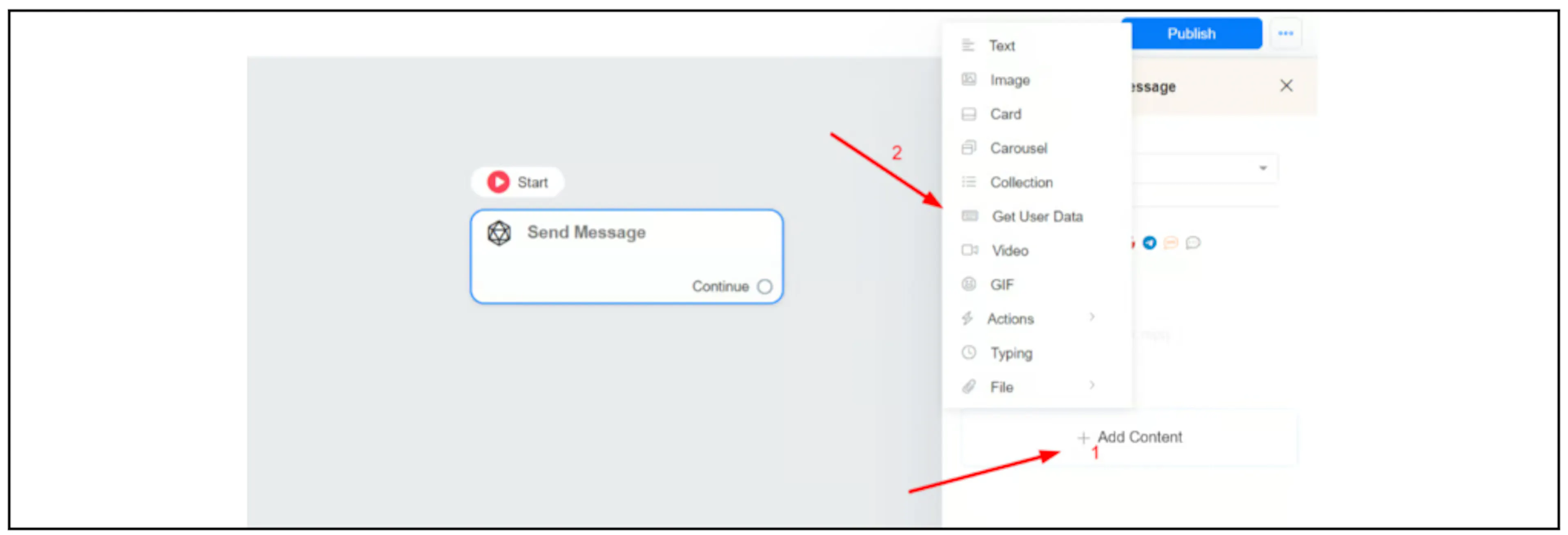
- Write the question and choose Multiple choice as the Reply type.
- Set Save response to a custom field to the answer field, such as
color. - In Type a choice and press Enter key, insert the token for the options field, such as
{{options}}, and press Enter. - Review the available input, retry, and skip settings for the selected channel, then save the block.
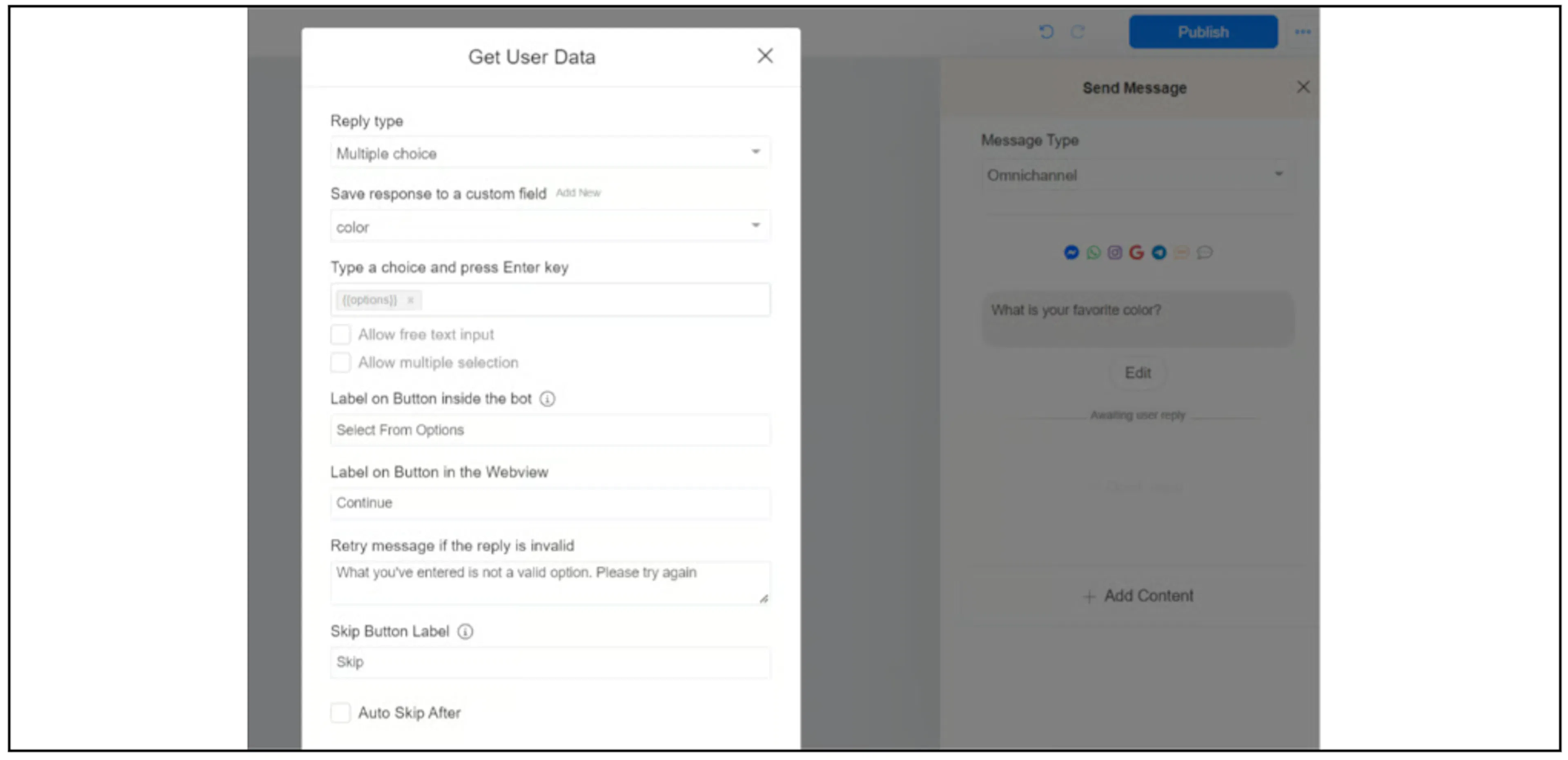
The screenshots show an older interface and a Messenger example. Confirm how the choices appear on your selected channel before publishing.
Supply the choices
Comma-separated text
Store the choices in the options field as one comma-separated value:
Blue, White, Black, Yellow, Red
The example presents these as five choices:

A Google Sheet can hold the same value in one cell. The flow must retrieve it and save it to the options field before it reaches the question.

The source does not define how to escape a comma inside an individual choice label. Confirm that format before using labels containing commas.
An array from an API response
You can also populate the options field with an array from an API response. For example:
{
  "data": ["Blue", "White", "Black", "Yellow", "Red"]
}
Use External Request response mapping to save the data array to the options field before asking the question. The mapping controls and the way your integration stores the array need checking in your account. The example is illustrative data, not a recorded API response.
Use the selected answer
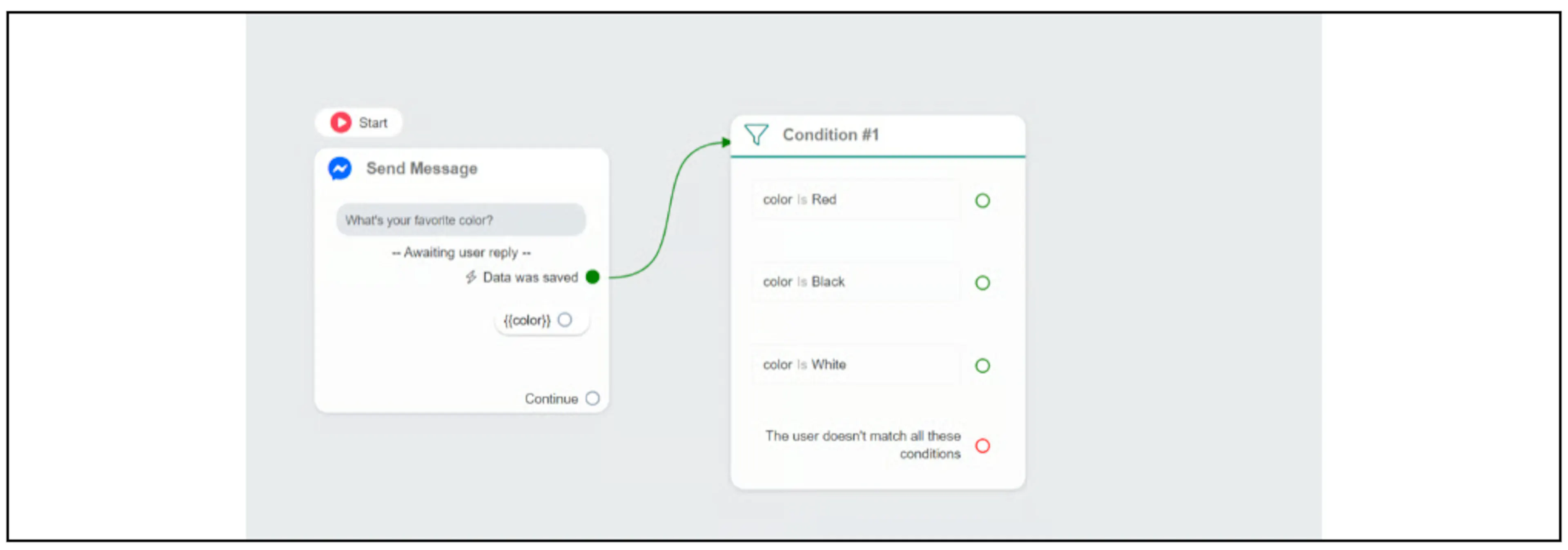
Connect Data was saved to a Condition block to branch on the answer field. The example checks whether color is Red, Black, or White; include a path for other answers as needed.
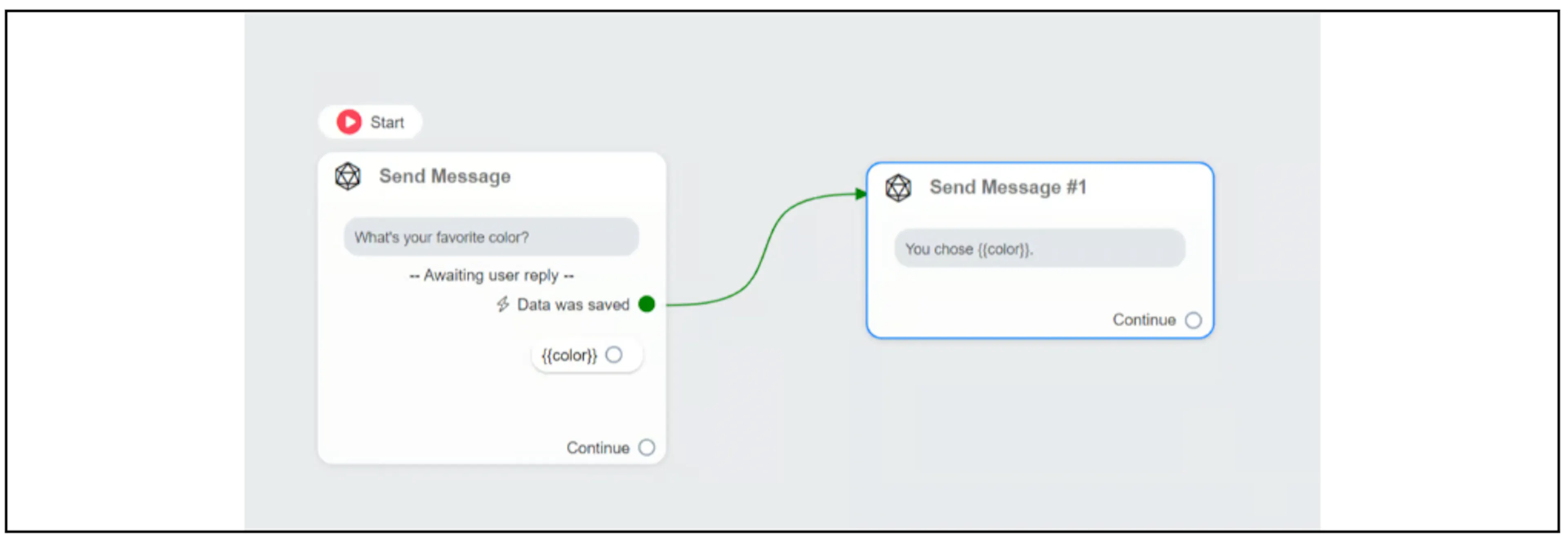
To include the saved answer in a later message, insert its field token:
You chose {{color}}.
Before publishing, check the options value, the saved answer, and each branch. Include checks for an empty options list and any skip or invalid-answer path your flow allows. Confirm the option-count and label-length limits for your selected channel before using long lists.