Mark a conversation for follow-up
Flag a conversation for follow-up from the Inbox or Flow Builder.
From the Inbox
- Open the conversation.
- Open the menu at the top right of the conversation.
- Select Mark as follow up.
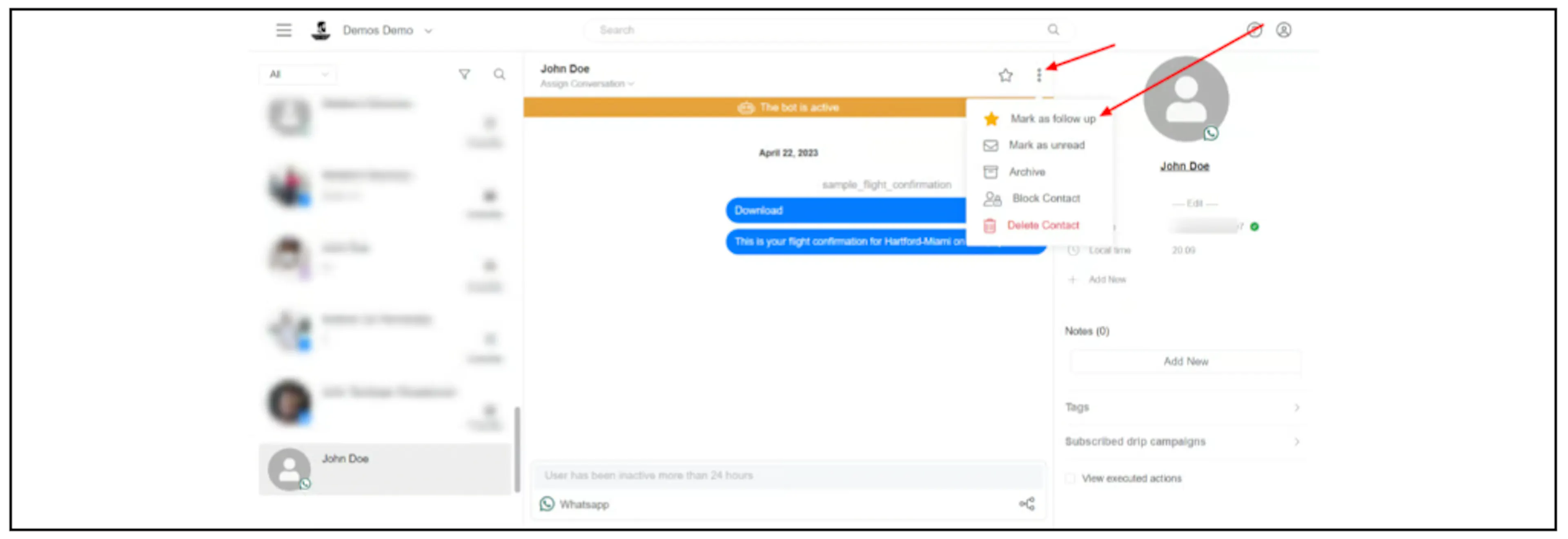
Use the conversation filters to find conversations marked for follow-up.
From Flow Builder
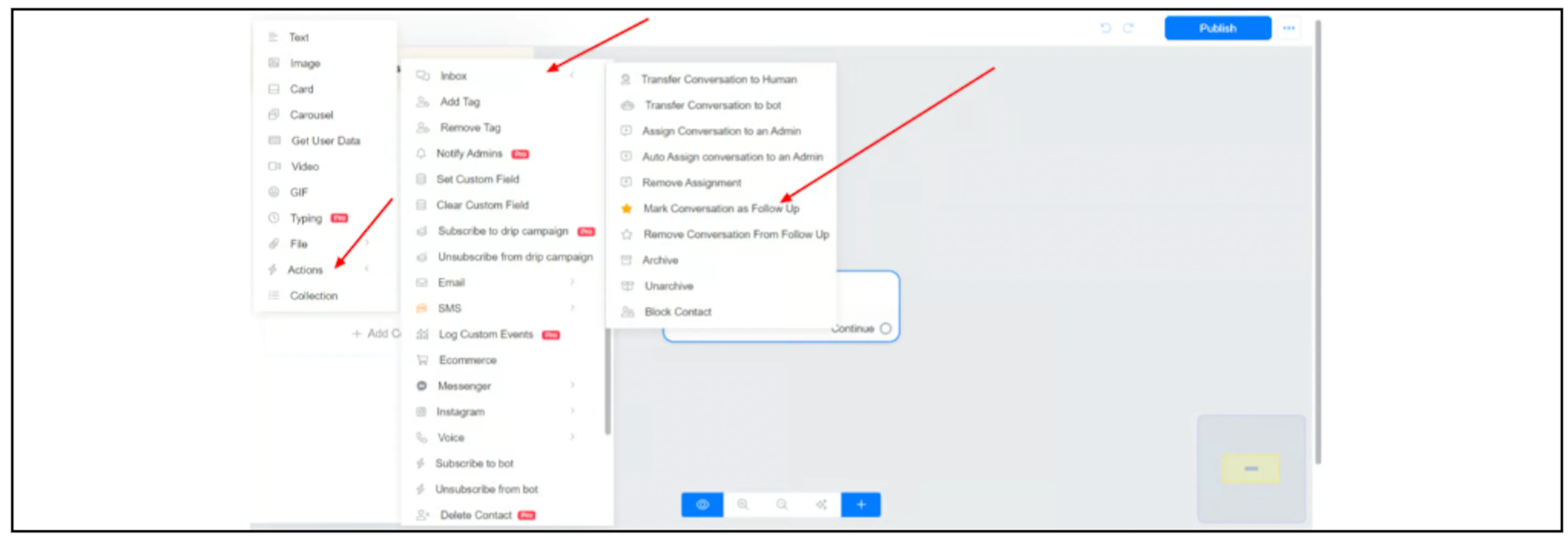
In an Actions block, select Inbox, then Mark Conversation as Follow Up.
Was this page helpful?