Delete a contact
Delete contacts from the Inbox, Contacts, or a flow.
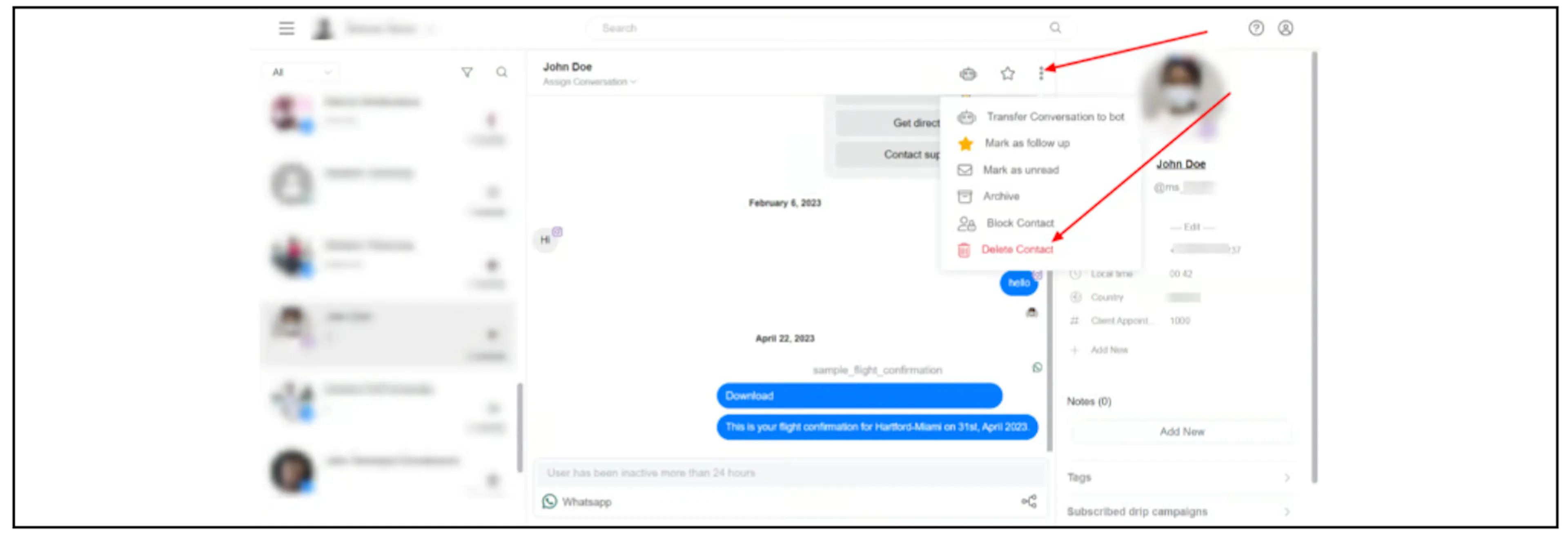
From the Inbox
- Open the contact's conversation.
- Open the menu at the top right.
- Select Delete Contact.
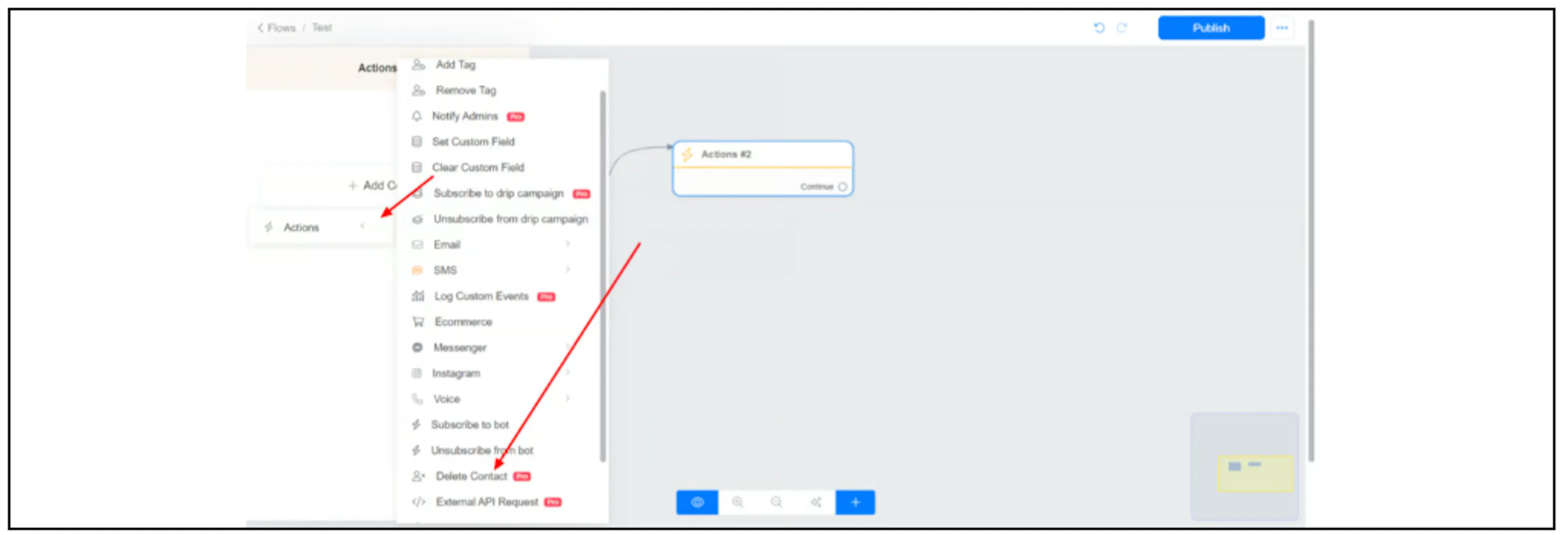
From Flow Builder
In an Actions block, select Delete Contact.
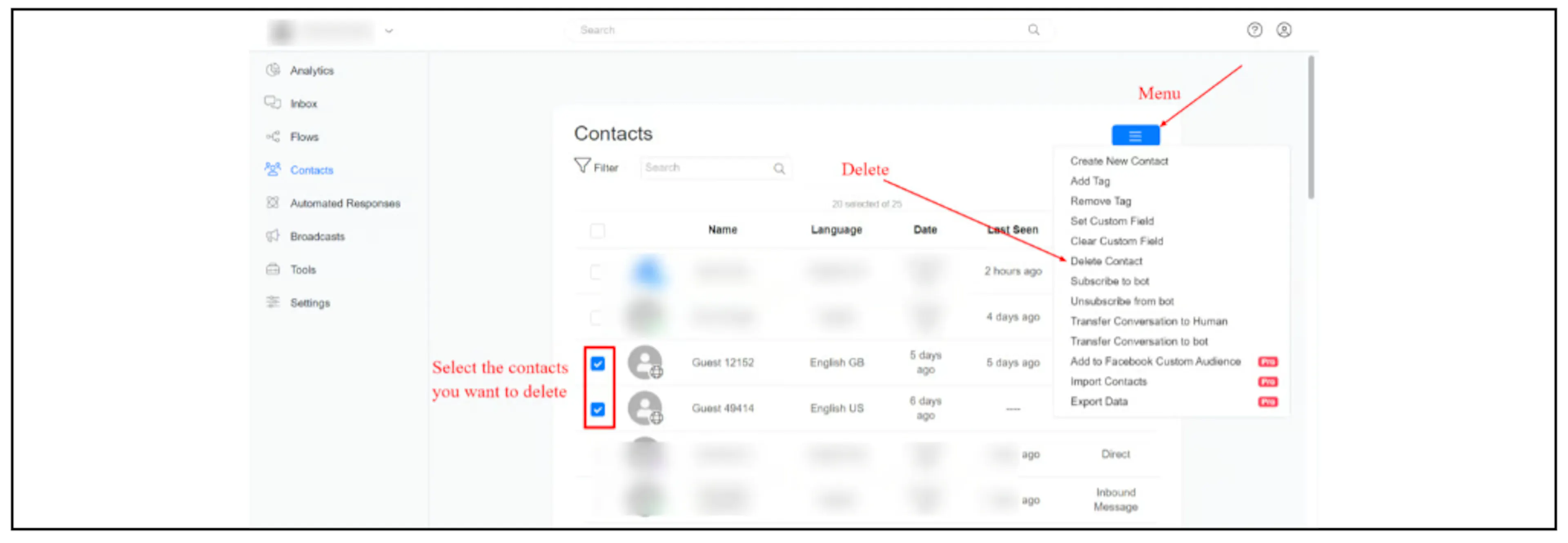
From Contacts
- Open Contacts.
- Select the contacts you want to delete using their checkboxes.
- Open the actions menu and select Delete Contact.
Was this page helpful?