ChatGPT Triggers
Collect information during an AI conversation and pass it to a flow.
A ChatGPT Trigger connects an AI conversation to a Bual Pro flow. It can collect named values from the contact, run the selected flow and return a result for the AI reply. The flow can also use an External Request to get information from another system.
Create a trigger
After connecting OpenAI, open Settings > Integrations > OpenAI ChatGPT > ChatGPT Triggers and select Manage. On the triggers page, select Add.
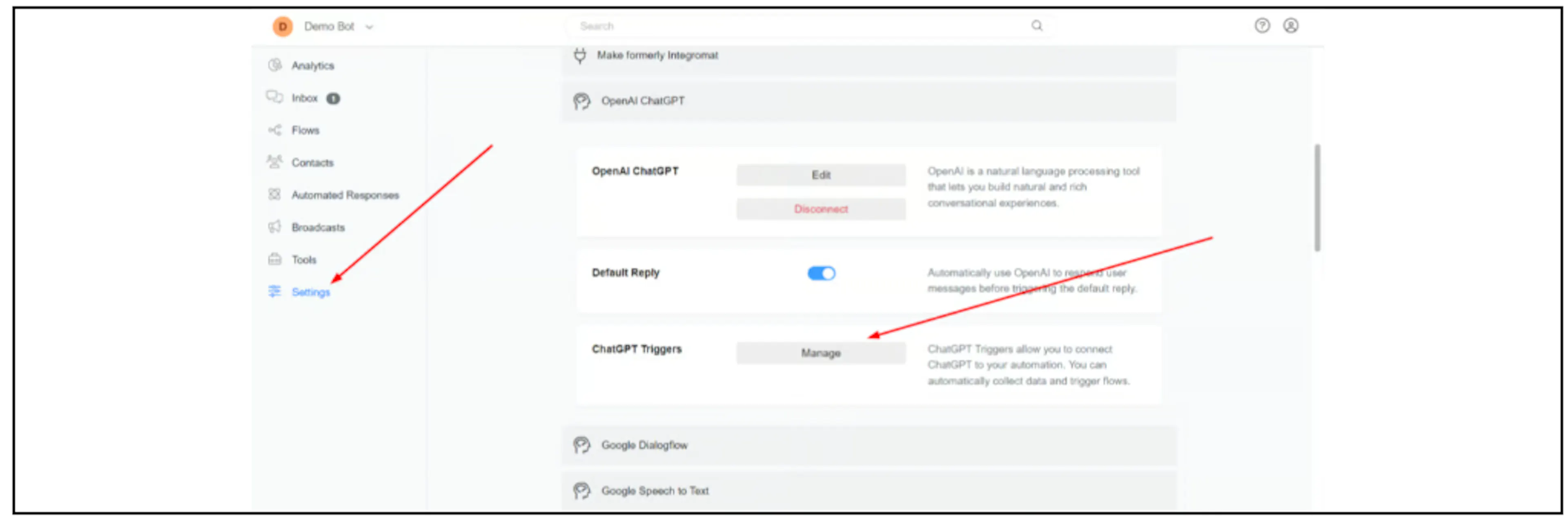
The screenshots show an earlier interface. If these controls are not available in your account, contact Bual Pro support.
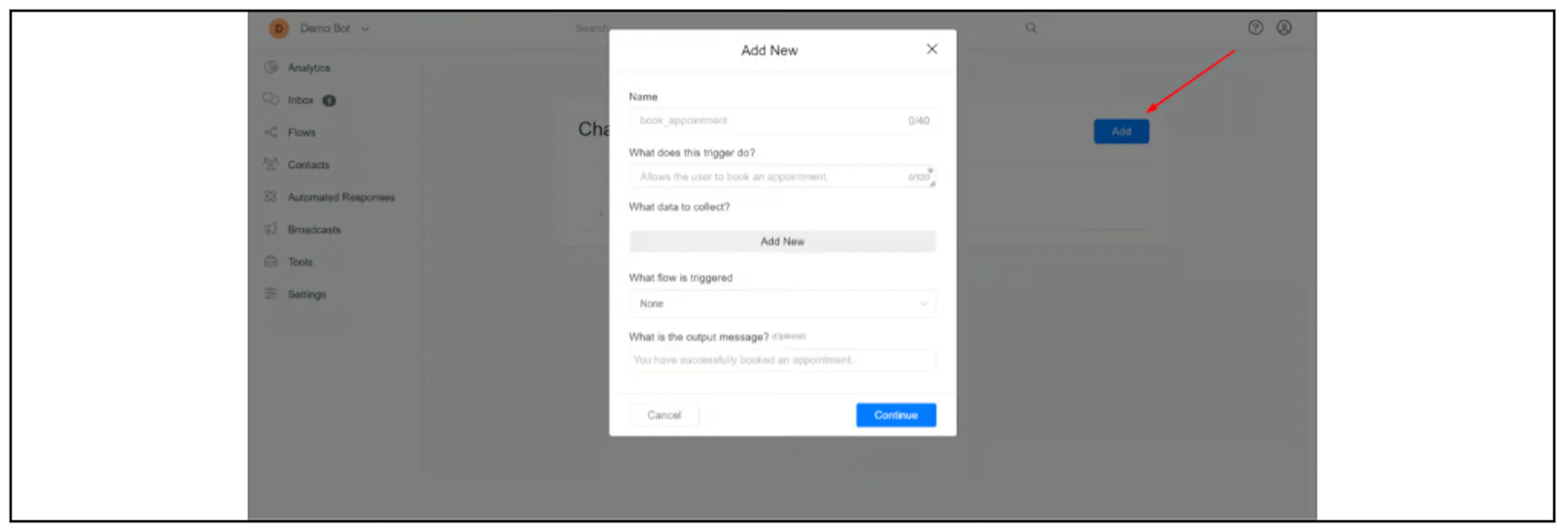
Complete the fields:
| Field | What to enter |
|---|---|
| Name | A descriptive name such as get_current_weather. Prefer a name with at least two words that describes the action. |
| What does this trigger do? | Explain when to use it, for example, "Allows the user to book an appointment." Put the values to collect in the next field. |
| What data to collect? | Clear names such as date, email or city. Avoid arbitrary names that do not explain the value. |
| What flow is triggered | The flow that processes the collected values or gets information from another system. |
| What is the output message? | The result that OpenAI should use when replying. You can insert a text custom field set by the flow. |
Return the result
If the reply depends on the flow's result, save that result in a text custom field and use it as the output message. For example, the weather flow can return {{data_from_api}}, and a shipping-quote flow can return {{quote}}.
OpenAI may rewrite the output before sending it to the contact. Avoid also sending the same result directly from the flow if the AI will deliver the reply.
Only report a successful booking, subscription or handover after the flow has completed the corresponding action. A fixed success message by itself does not confirm the outcome.
Example trigger patterns
These examples describe trigger configuration. Each selected flow still needs to implement the action and return its result.
| Name | Data to collect | Flow and output |
|---|---|---|
book_appointment | date, email, reason | Run the booking flow and return the confirmed result. |
connect_user_to_human | As required by your handover flow | Run a flow with an Inbox action that moves the conversation to a human. Return the actual handover result. |
get_current_weather | city | Use External Request to call your weather API and return {{data_from_api}}. |
join_email_list | email | Run the subscription flow and return its result. |
request_shipping_quote | origin_address, destination_address, dimensions, weight | Calculate the quote in the flow and return {{quote}}. |
Enable the trigger
Select the trigger in the relevant OpenAI action or in the OpenAI settings. Creating it in the trigger list alone does not attach it to the conversation or action.
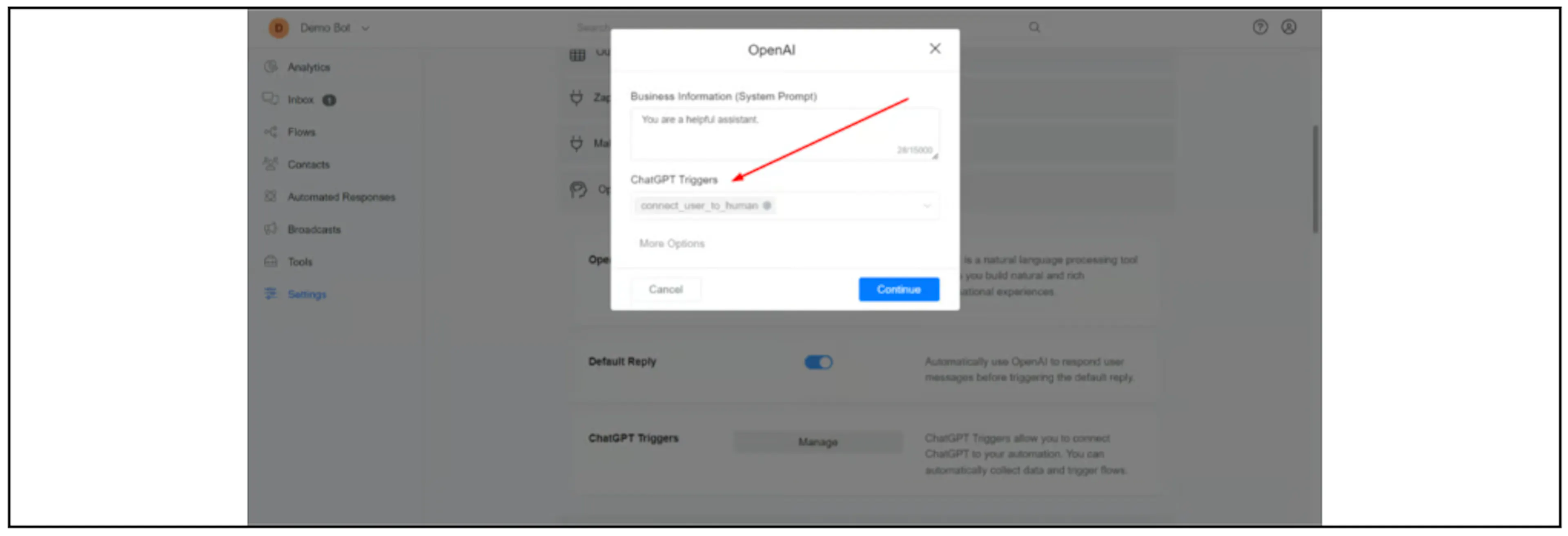
Check missing information
The AI may try to fill in values that the contact has not supplied. Tell it to ask for required details before running the trigger. For a restaurant reservation, the instructions should require the date and number of guests.
Test incomplete requests as well as complete ones. Check the values collected, the selected flow, the returned result and the customer reply. For human handover, also confirm the conversation state and automation behaviour.